Last updated: April 2026 · AnomixLabs Technical Team
A contact form is the gateway to your customer. A spam-prone, faulty, or slow form is a direct loss of revenue. A well-implemented form builds trust.
1. ContactForm Model and ModelForm
from django.db import models

class ContactMessage(models.Model):
    name = models.CharField('Full Name', max_length=100)
    email = models.EmailField('Email')
    subject = models.CharField('Subject', max_length=200)
    message = models.TextField('Message')
    attachment = models.FileField(
        'File Attachment', upload_to='contact/', blank=True, null=True
    )
    ip_address = models.GenericIPAddressField(blank=True, null=True)
    is_read = models.BooleanField(default=False)
    created_at = models.DateTimeField(auto_now_add=True)

    class Meta:
        verbose_name = 'Contact Message'
        ordering = ['-created_at']
from django import forms
from .models import ContactMessage
ALLOWED_EXTENSIONS = ['pdf', 'doc', 'docx', 'jpg', 'png', 'zip']
MAX_FILE_SIZE = 5 * 1024 * 1024 # 5 MB
class ContactForm(forms.ModelForm):
honeypot = forms.CharField(required=False, widget=forms.HiddenInput)
class Meta:
model = ContactMessage
fields = ['name', 'email', 'subject', 'message', 'attachment']
def clean_honeypot(self):
if self.cleaned_data.get('honeypot'):
raise forms.ValidationError('Bot detected')
return ''
def clean_attachment(self):
f = self.cleaned_data.get('attachment')
if not f:
return f
ext = f.name.rsplit('.', 1)[-1].lower()
if ext not in ALLOWED_EXTENSIONS:
raise forms.ValidationError(f'Disallowed format. Allowed: {ALLOWED_EXTENSIONS}')
if f.size > MAX_FILE_SIZE:
raise forms.ValidationError('File exceeds the 5 MB limit.')
return f2. Secure POST with FormView
from django.views.generic.edit import FormView
from django.core.mail import EmailMessage
from django.contrib import messages
from django.conf import settings
from .forms import ContactForm

class ContactView(FormView):
    template_name = 'contact.html'
    form_class = ContactForm
    success_url = '/contact/thank-you/'

    def form_valid(self, form):
        msg = form.save(commit=False)
        msg.ip_address = self.request.META.get('REMOTE_ADDR')
        msg.save()
        self._send_email(msg)
        messages.success(self.request, 'Your message has been sent successfully!')
        return super().form_valid(form)

    def _send_email(self, msg):
        email = EmailMessage(
            subject=f'[Contact] {msg.subject}',
            body=(
                f'From: {msg.name} \n'
                f'Message:\n{msg.message}'
            ),
            from_email=settings.DEFAULT_FROM_EMAIL,
            to=[settings.CONTACT_EMAIL],
            reply_to=[msg.email],
        )
        if msg.attachment:
            email.attach_file(msg.attachment.path)
        email.send(fail_silently=False)
3. HTML Template and Form Rendering
There are two approaches for displaying the contact form in the template. Recommended: Automatic styling with django-crispy-forms:
$ pip install crispy-tailwind  # For Tailwind
# or: pip install crispy-bootstrap5
INSTALLED_APPS += ['crispy_forms', 'crispy_tailwind']
CRISPY_ALLOWED_TEMPLATE_PACKS = 'tailwind'
CRISPY_TEMPLATE_PACK = 'tailwind'{% load crispy_forms_tags %}
<form method="post" enctype="multipart/form-data">
{% csrf_token %}
{{ form|crispy }}
<button type="submit">Send</button>
</form>
{# Success/error messages #}
{% for message in messages %}
<div class="alert-{{ message.tags }}">{{ message }}</div>
{% endfor %}If you don't want to use Crispy-forms, Django's built-in rendering method:
<form method="post" enctype="multipart/form-data">
  {% csrf_token %}
  {{ form.as_p }}
  <button type="submit">Send</button>
</form>
Important: For forms with a file attachment field, enctype="multipart/form-data" is mandatory — otherwise, the uploaded file will not be included in the POST body, and request.FILES will be empty.
4. Gmail SMTP Configuration
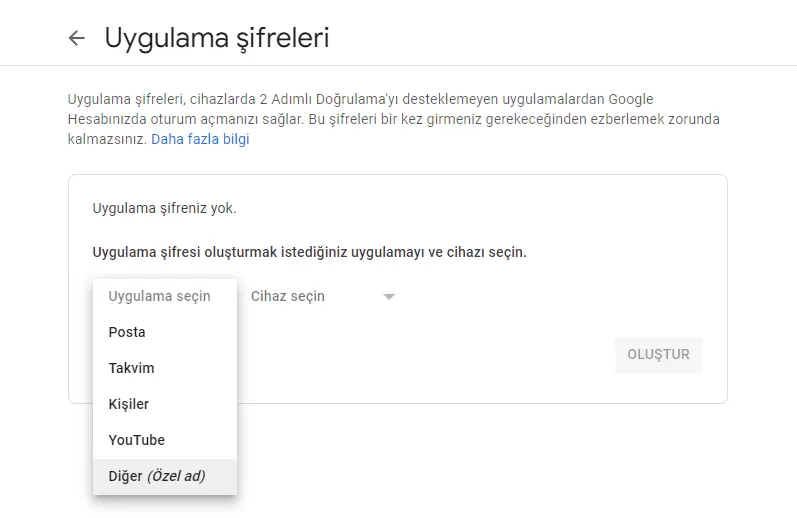
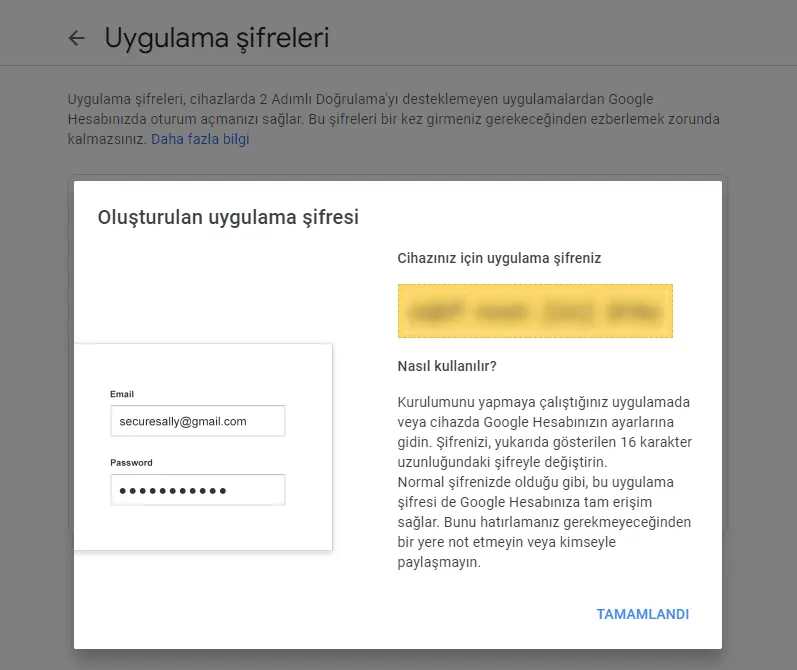
2FA must be enabled on your Gmail account. Generate an 'App Password' (myaccount.google.com → Security → App passwords). Do not use your regular account password:
EMAIL_HOST=smtp.gmail.com
EMAIL_PORT=587
EMAIL_USE_TLS=True
EMAIL_HOST_USER=company@gmail.com
EMAIL_HOST_PASSWORD=xxxx-xxxx-xxxx-xxxx  # App password
DEFAULT_FROM_EMAIL=AnomixLabs
CONTACT_EMAIL=info@anomixlabs.com
EMAIL_HOST = env('EMAIL_HOST')
EMAIL_PORT = env.int('EMAIL_PORT', 587)
EMAIL_USE_TLS = env.bool('EMAIL_USE_TLS', True)
EMAIL_HOST_USER = env('EMAIL_HOST_USER')
EMAIL_HOST_PASSWORD = env('EMAIL_HOST_PASSWORD')
DEFAULT_FROM_EMAIL = env('DEFAULT_FROM_EMAIL')
CONTACT_EMAIL = env('CONTACT_EMAIL')5. reCAPTCHA v3 Integration
reCAPTCHA v3 works invisibly — it doesn't ask the user to click 'I'm not a robot'. Google returns a trust score between 0.0 and 1.0; anything above 0.5 is considered a normal user:
$ pip install django-recaptchaINSTALLED_APPS += ['django_recaptcha']
RECAPTCHA_PUBLIC_KEY = env('RECAPTCHA_PUBLIC_KEY')
RECAPTCHA_PRIVATE_KEY = env('RECAPTCHA_PRIVATE_KEY')
# Minimum score for v3 (0.0 - 1.0)
RECAPTCHA_REQUIRED_SCORE = 0.5from django_recaptcha.fields import ReCaptchaField
from django_recaptcha.widgets import ReCaptchaV3
class ContactForm(forms.ModelForm):
captcha = ReCaptchaField(widget=ReCaptchaV3)
# ...6. Honeypot Spam Protection
A field hidden with CSS — bots fill all fields, real users don't see it. It provides an extra layer of protection without needing the reCAPTCHA API:
class ContactForm(forms.ModelForm):
    # Field bots will see but users won't
    website = forms.CharField(required=False, widget=forms.HiddenInput)

    def clean_website(self):
        if self.cleaned_data.get('website'):
            # Bot filled this field — form is invalid
            raise forms.ValidationError('Spam detected')
        return ''
7. Preventing Abuse with Rate Limiting
from django.core.cache import cache

class ContactView(FormView):
    def form_valid(self, form):
        ip = self.request.META.get('REMOTE_ADDR', '')
        cache_key = f'contact_rate_{ip}'
        count = cache.get(cache_key, 0)

        if count >= 3:  # Limit of 3 messages per hour
            messages.error(self.request, 'You have sent too many messages. Please wait.')
            return self.form_invalid(form)

        cache.set(cache_key, count + 1, timeout=3600)  # 1 hour
        return super().form_valid(form)
8. Async Email: With Celery (Optional)
Sending emails can be slow as it requires a network request. For high-volume projects, send them in the background with Celery:
from celery import shared_task
from django.core.mail import EmailMessage

@shared_task
def send_contact_email_task(subject, body, from_email, to_emails, reply_to):
    email = EmailMessage(
        subject=subject,
        body=body,
        from_email=from_email,
        to=to_emails,
        reply_to=[reply_to],
    )
    email.send()

# Calling in views.py
send_contact_email_task.delay(
    subject=f'[Contact] {msg.subject}',
    body=msg.message,
    from_email=settings.DEFAULT_FROM_EMAIL,
    to_emails=[settings.CONTACT_EMAIL],
    reply_to=msg.email,
)
9. SPF and DKIM: Email Deliverability
If your emails are landing in the spam folder, these technical DNS records are likely missing:
- SPF: Add a TXT record to your DNS:
v=spf1 include:_spf.google.com ~all— this indicates that Gmail can send emails on your behalf. - DKIM: Obtain CNAME records from your Google Workspace or SendGrid panel and add them to your DNS. This proves the email was sent with a signature.
- DMARC:
v=DMARC1; p=quarantine; rua=mailto:dmarc@domain.com— this specifies what to do if SPF/DKIM fails.
10. Testing Environment: Mailtrap or django-mail-panel
# Development: emails are printed to the console, not sent
EMAIL_BACKEND = 'django.core.mail.backends.console.EmailBackend'

# Or Mailtrap (behaves like real SMTP, but no actual emails are sent)
EMAIL_HOST = 'sandbox.smtp.mailtrap.io'
EMAIL_HOST_USER = env('MAILTRAP_USER')
EMAIL_HOST_PASSWORD = env('MAILTRAP_PASS')
EMAIL_PORT = 2525
Summary
Professional Django contact form: ModelForm (validation), FormView (GET/POST), EmailMessage (with attachments), Gmail App Password (SMTP), reCAPTCHA v3 + honeypot (spam protection), rate limiting (abuse prevention), SPF/DKIM (deliverability). Use Mailtrap for testing in production.
Frequently Questions
Will Gmail limits cause issues in production? expand_more
How is the file attachment size limit configured? expand_more
What can I use instead of Celery for async email? expand_more
Should I prefer reCAPTCHA v2 or v3? expand_more
What should I do if email sending fails? expand_more
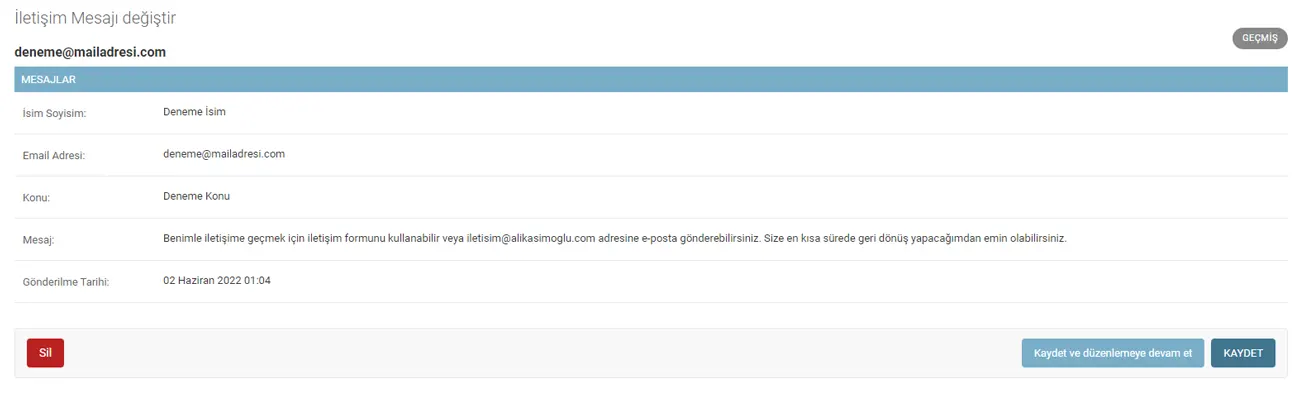
How do I manage contact messages in the admin panel? expand_more
What do I need to do in the form for GDPR compliance? expand_more
Ali Kasımoğlu
Full-stack Developer & Founder of AnomixLabs
A software developer specializing in the Python and Django ecosystem. Focuses on modern web architectures, AI integrations, and minimalist user experiences. Under the AnomixLabs umbrella, he aims to transform complex problems into lean and effective digital solutions.